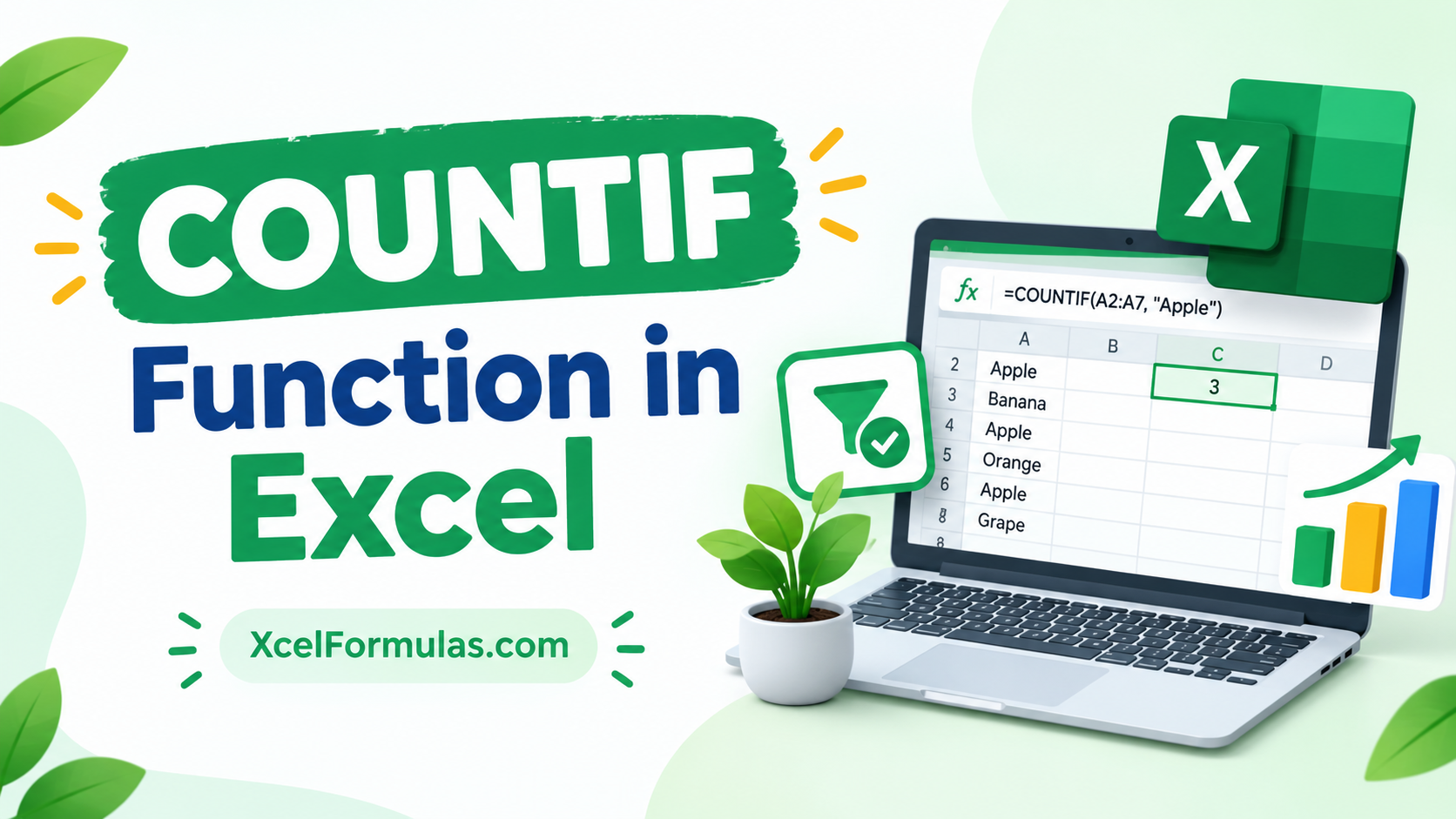
When you use the COUNTIF Function in Excel, it tells you how many cells in an area meet a certain condition. COUNTIF(range, criteria) is the general syntax. “Range” is the list of cells to count, and “criteria” is a condition that a cell must meet in order to be counted. You can use COUNTIF to find the number of cells that have dates, numbers, and text in them. Criteria can use wildcards (*, ?), logical operators (>, <, <>, =), and more.
What is COUNTIF Function in Excel
Spreadsheets are important in several sectors of enterprises for calculating effectively and exactly. In Microsoft Excel, the COUNTIF tool keeps track of how many cells in an area meet a certain set of conditions.
As the title says, the COUNTIF function mixes the “Count” and “IF” formulas together. The function is built into Excel and is called a statistical operation. It can be accessed in Excel as a worksheet tool (WS).
In simple terms, COUNTIF Excel counts cells across a number of groups according to one or more conditions. It incorporates conditional logic into the equation to count those cells that fulfill particular requirements.
With an advanced Excel training, you can learn in-depth about the different functionalities of Excel.
ALSO READ: XLOOKUP Function in Excel
Syntax of COUNTIF Function in Excel
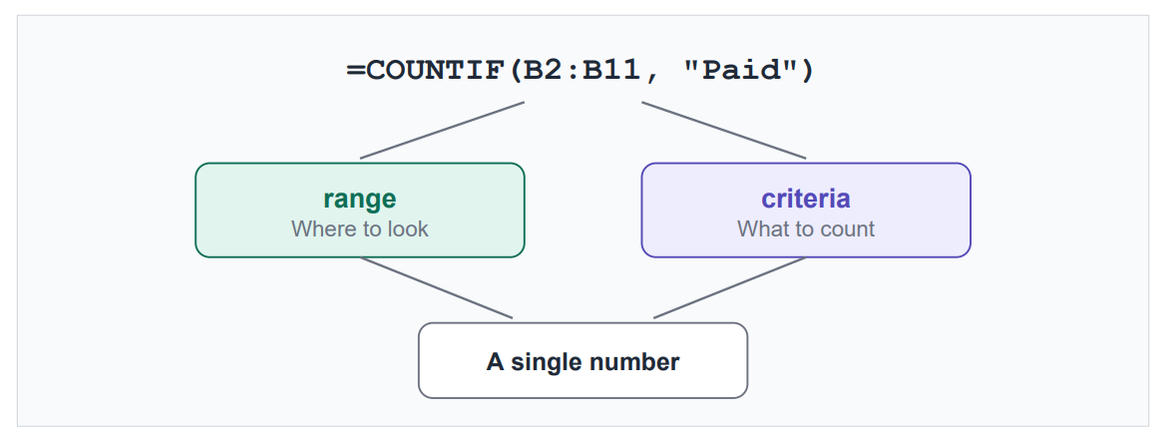
=COUNTIF(range, criteria)- range – The range of cells that Excel checks to determine which cells meet the specified criteria.
- criteria – The condition or value that Excel uses to decide which cells should be counted.
Basic COUNTIF Function examples
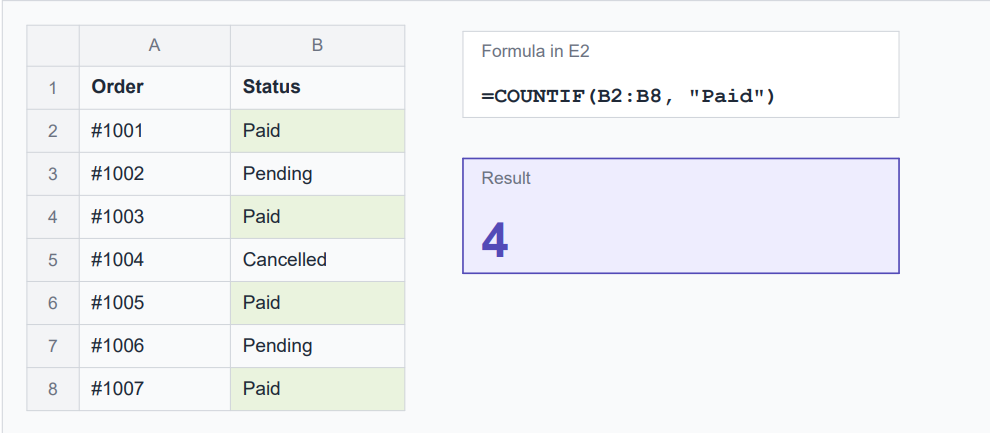
Here’s a small order sheet. Column B holds the payment status, and the formula in E2 counts the
“Paid” rows. Four cells say “Paid”, so Excel returns 4.
Criteria types you’ll use most in COUNTIF Function

Pro tip:
Referencing a cell is worth getting used to. If D1 holds "Paid", you can change D1 to "Pending" and the count updates without touching the formula.
Using wildcards
Wildcards let you match part of a text value. There are three:

- =COUNTIF(A2:A100, “Rahul*”) counts every name that starts with Rahul.
- =COUNTIF(A2:A100, “shirt“) counts every cell containing “shirt” anywhere, so “T-shirt” and
“Shirt XL” both match. - =COUNTIF(A2:A100, “??”) counts cells with exactly two characters, handy for spotting bad state codes.
Counting blank and non-blank cells
Data is rarely tidy, so these two come up constantly:

If you only want to know how many cells are filled, COUNTA does the same job. COUNTIF is the better choice when you’re combining a blank check with other logic.
COUNTIF with dates
Dates are stored as serial numbers in Excel, so comparison operators work on them. Two safe ways to write it:
=COUNTIF(C2:C100, ">"&DATE(2026,1,1))
Counts dates after January 1, 2026.
=COUNTIF(C2:C100, "<"&TODAY())
Counts dates before today.Finding duplicates
Type this next to your data and copy it down:
=COUNTIF($A$2:$A$100, A2)If the result is greater than 1, that value appears more than once. The dollar signs lock the range so it doesn’t shift as you fill down. To flag only the repeats, use =COUNTIF($A$2:A2, A2)>1.
COUNTIF vs COUNTIFS
COUNTIF handles one condition. When you need several conditions at once, switch to COUNTIFS:
=COUNTIFS(B2:B100, "Paid", D2:D100, ">500")
Common mistakes and how to fix them

Frequently asked questions
Can COUNTIF count with more than one condition?
Not on its own. Use COUNTIFS for AND logic, or add multiple COUNTIF results for OR logic.
Is COUNTIF case-sensitive?
No. Uppercase and lowercase are treated the same.
Can COUNTIF work across multiple sheets?
Each COUNTIF looks at one range on one sheet. To combine sheets, add formulas together, for example:
=COUNTIF(Sheet1!A:A,"Paid")+COUNTIF(Sheet2!A:A,"Paid")What’s the difference between COUNT, COUNTA, and COUNTIF?
COUNT counts numeric cells, COUNTA counts any non-empty cell, and COUNTIF counts cells that meet a condition you define.
Does COUNTIF work in Google Sheets?
Yes. The syntax is identical, so everything in this guide works there too.